C2C Monday May 26th

General Palm Springs area.

Postby Davis2001r6 » Mon May 26, 2008 7:37 pm

Well the trail back to Ramon traverses towards the back of the canyon a bit first. I had only done the skyline once before over a year ago and forgot weather it did that. It probably only would have set me back 10 minutes when I confirmed it in my mind as the whole loop only took me an hour.

The walk back to the hotel was fun at 3 in the morning though. We stayed at the holiday inn so it was another 3 miles back to it, confused the heck out of my wife when I got back though :)

Anyone know the distances and gain from the both the trailheads to the picnic tables?

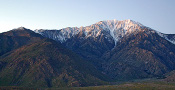
Looking at those mountains all day sure was nice, looks like they got some bad weather as I would have been hopefully summiting though. Was pretty cold and windy in town for a little bit as well.

I'll keep an eye on the weather from time to time and hopefully another freakish cold front comes in at some point this summer and I may just have to sneak back over there.

-TIM-
Davis2001r6
 
Posts: 30
Joined: Wed Mar 14, 2007 7:22 pm

Postby Llamahiker » Mon May 26, 2008 8:05 pm

The GPS is a handy thing to have. I use mine mainly when we're hunting. Mark the truck or camp in an unfamiliar area and be able to find your way back no problem-o. Don't need It much in a place like this but it's nice to know it's in my pack with the way-points loaded and ready to go in case I get into trouble up high later on down the line.
I took a look at those GPS coordinates on Perry's site but at about 2600 it was a bit to much to follow. It would have taken me 2 days to stop and check all those way-points.
I use the UTM scale anyway. The metric system is much easier to work with. Divide the map into 1000 meter grids, brake it down further to 100 meter then 10 meters. I pretty much needed to just hike it and mark it as I go. I just marked the key areas. The rockpile, the 2600 ft spot, the 4300 ft spot,, the small flat spot. the flat rock, the beginning of the traverse, etc. Got it down now.
I wish I could have gotten out this weekend with the cool weather to hike it again but I had to work. Probably have to wait till Fall and Winter.
Now that that I know the "route" I'm looking forward to doing it again later.
Hiking in triple digit temps is not my idea of a good time. Knee deep snow and ice, now that's what's I like. Clawing my way to the top. Had to do it once in fair weather to learn and mark the route though.
Have fun on Rainier. That's on my wish list.
Llamahiker
 
Posts: 7
Joined: Fri May 16, 2008 2:05 pm
Location: Riverside

Postby pdforeme » Mon May 26, 2008 8:26 pm

llamahiker...i'm new to gps, so this is still interesting to me :)

i used his 2600 coordinates to make a route...not same as waypoints. So this "line" if you will...made my garmin etrex beep when i was on course...and i'm too lazy to do the math on the interval between all the points in this "route"....

I tried the 5 or 6 waypoint thing on Muir last year. Zero value; heck i could find the main checkpoints almost by dead reckoning...but having a route (or the reverse "track" on your own hike) saves you tons of backtracking (going waypoint to waypoint sort of ignores topography....my waypoint system on Muir had me perplexed by monster rock ridges
Desert Rat since 1957
User avatar
pdforeme
 
Posts: 84
Joined: Wed Apr 30, 2008 2:33 pm
Location: Wash state

C2c Monday Mat 26

Postby Cy Kaicener » Tue May 27, 2008 2:00 am

Tim - The website you were referring to is http://www.geocities.com/cactus2clouds/skyline.html
From the museum to the picnic tables is about 800 ft gain in one mile. Its two miles from Ramon Road. I was sorry to hear about your trail mix up.
. Please visit my website at www.hiking4health.com for more information especially the Links.
http://cys-hiking-adventures.blogspot.com
User avatar
Cy Kaicener
 
Posts: 2236
Joined: Tue May 09, 2006 3:50 am
Location: Rialto, California, USA

Postby Llamahiker » Tue May 27, 2008 8:30 am

The GPS is pretty much unnecessary on a hike like this where your following a trail, or in this case a defined route. The GPS will give you a straight line bearing to the next way-point but if your following trails that switchback and wrap around hills it's not going to help much other then it telling when you've arrived at a particular way-point.
Now if your going cross country that's a different story or if the terrain is covered in snow and you can take a straight line on snowshoes to your destination.
The important thing to know how to do is to be able to take the Lat/Log info that the GPS is telling you (or Easting/Northing info if using the UTM scale) and find you precise location on a USGS topo map. That's how you help prevent yourself from getting lost. Even in bad weather low visibility situations. That could have gotten that fellow who perished near Green Valley Lake earlier this year back home before succumbing to the elements. Being able to determine exactly where the hell you are and using the compass to at least get you quickly heading back in the right direction. I read that he became disoriented in the fog.
The GPS will give you heading info but only when your moving so having a compass and knowing how to us it is necessary too.
I like the UTM scale. Using a straight edge and the blue tick marks along the top, bottom and sides of a 7.5 minute topo map you grid the map into 1000 meter squares then using the plastic map tool you can measure your precise location on the map. (The GPS has to be set to read the UTM scale). Do it in reverse too. Measure the way-points out at home and then enter the coordinates onto the GPS before you go. I did this for my first time on Skyline and my calculated way-points were pretty close to the actual ones. Not that I needed them to do this hike but it's a good thing to know how to do as it might just save your ass some day somewhere else.
You do the same thing with Lat/Long using the Lat/Long marks on the map instead (with the GPS set up for Lat/Long of course). Whichever you prefer.
Now a days you can do it at home on the computer using software but it doesn't do you much good if you need to do it in the field.
Using the computer to do it for me would make me complacent.
Ya it's an electronic device and you shouldn't have to rely on it, yada, yada, yada, but used as a tool combined with your experience and good judgment it'll help keep you out of trouble. Plus it's kind of fun.
Llamahiker
 
Posts: 7
Joined: Fri May 16, 2008 2:05 pm
Location: Riverside

Postby Davis2001r6 » Tue May 27, 2008 10:40 am

Yeah I don't think a GPS is necesarry for this trail either. Now maybe up towards the tram in winter with everything covered in snow, but still at that point your just looking for the easiest line up.

I'll be back, it was pretty clear a few minutes after my wrong turn that I was heading down, just got lazy and decided to do other things for the day, my wife was stuck in town with a stick shift car that she just learned to drive that week. Didn't really feel safe making her drive up to the tram to pick me up either. If someone stopped in front of her on that incline there is no way she would have got the thing going again.
Davis2001r6
 
Posts: 30
Joined: Wed Mar 14, 2007 7:22 pm

Postby pdforeme » Tue May 27, 2008 12:20 pm

gotta disagree on utility of GPS....

Its dark, its an unknown trail, ill defined, misleading markers...hmmm like C2C below picnic tables....

if you only use 4 waypoints, yeah, its a waste of money. If you have the "route" preprammed, wow, saves you makeing wrong turns.

Again, same for me on Rainier; duh, i can find "downhill", but what is key is navigating all the ridges. I guess w/ a ton of waypoints i'd solve that, but that then is a "route"

again, its the timesaving...many folks never get truly lost per se, but easlily well off their intended route
Desert Rat since 1957
User avatar
pdforeme
 
Posts: 84
Joined: Wed Apr 30, 2008 2:33 pm
Location: Wash state

Postby Tim Le » Tue May 27, 2008 12:48 pm

To take GPS utility to the next level, load topo maps to your GPS unit in addition to your route. This now puts your position on a moving map. You can quickly transfer this position to a paper map by comparing the topo lines. No need to plot coordinates (although that is a useful skill to have). I also bring a compass and a paper map as a backup. I like having a paper map along with the GPS because it gives me a better overview than the small screen on the GPS.

You can buy the GPS topo maps from the GPS manufacturer or if you have a Garmin, create your own or even get them free on the internet.

For the track or route, I get this info from a friend or the internet or I draw the route on NatGeo's TOPO! which I then create a GPS route and upload to the GPS.

I have no hesitations about using GPS. It's a great time saver and a nice layer of safety, especially when you are solo. However, it does take the "fun" out of getting lost (temporarily) ;)
Tim Le
 
Posts: 64
Joined: Sat Jul 07, 2007 7:53 am

GPS

Postby Scout1965 » Fri May 30, 2008 5:17 am

I was wondering if anyone that has used the GPS tracklog from the Geocities site could share with me how they uploaded that info to their handheld. We are doing the hike this Sunday AM and I would like to have the route programed into my unit. I really appreciate the help.
Scout1965
 
Posts: 1
Joined: Fri May 30, 2008 5:08 am

Re: GPS

Postby GoPlayer » Fri May 30, 2008 8:53 pm

Scout1965 wrote:I was wondering if anyone that has used the GPS tracklog from the Geocities site could share with me how they uploaded that info to their handheld. We are doing the hike this Sunday AM and I would like to have the route programed into my unit. I really appreciate the help.


Most programs for uploading data to GPS can read text files. You may want to find out what formats your software can read and then just save from Excel as a text or csv file, you probably have to juggle some columns to fit your format.
I just got the track in preparation for my hike next weekend and converted via csv to study it in GoogleEarth.
User avatar
GoPlayer
 
Posts: 68
Joined: Fri May 30, 2008 7:45 am
Location: San Diego North County

PreviousNext

Return to Mt. San Jacinto & Santa Rosa Mountains

Who is online

Users browsing this forum: No registered users and 34 guests