C2C2C

General Palm Springs area.

C2C2C

Postby SDathlete » Mon Oct 11, 2010 11:01 am

Hey all....well Saturday was a success! 8)

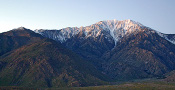
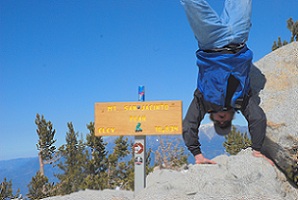
Started with my friend Mike at 2:30 am, it was actually a little chilly down at the museum. Reached 4300' and cached water. Sun came up at appx 5K', and it was very crisp but very comfortable for hiking. FINALLY caught up to Sally who was with a small group of 3 guys. Sally and I chatted for a while and we finally made it to LV by 8:30. Left LV and Ranger Station at 9am & reached the summit at 11:15am. Had lunch on a PERFECTLY clear windless day at the summit and headed back down at around 12:30pm. Back down to LV by 2:30 and fueled up. Popped 1200mg of ibuprofen for the downhill. Reached 4300' and cache at appx 5pm...was not hot at all the rest of the way down and didn't really need the extra water but we topped off anyway. Hiked the last 1:15 in the dark (really wanted to be done before this but that's what you get for being a chatty Kathy I guess). FINALLY reached the desert floor at appx 8pm.

Also, congrats to Sally for completing C2C...we ran into her just as she was summiting and we were headed back down to LV. And to Dan (if i remember correctly) for completing C2C, we were piggy-backing with his group almost the entire way up.

Perfect day and still a little sore but that's to be expected. I have pics to post but i don't know how to on this site....can anyone give me a tutorial?

Tentatively scheduling C2C on 10/23 too, full moon...starting at appx 4ish. The only logistical problem is I need a ride back to the museum from tram parking lot. Is there a service for this? anyone else possibly going or can give me a ride back to the museum that would be great :lol: i could always run back :shock:
User avatar
SDathlete
 
Posts: 80
Joined: Tue Oct 27, 2009 10:03 am
Location: San Diego

Postby KathyW » Fri Oct 15, 2010 3:16 pm

Thanks for the report. I was wondering how it went. I had a few extra days off this week; so I decided to do a R2R2R day hike instead of a C2C2C day hike this past weekend.
KathyW
 
Posts: 1138
Joined: Wed Dec 27, 2006 6:17 pm

Postby lilbitmo » Fri Oct 15, 2010 7:47 pm

Posting pictures - you first need to have the pictures loaded in a "Host Site" like photobucket or any number of other sites that are free and available.

Once they are uploaded to that site capture that sites web address by highlighting the whole address at the top, hit the copy button by right clicking with mouse pointed to the highlighted web address.

Now return to the San Jacinto board, go to your original post, then click on the edit button in your original post - open that up, click on the button just above your post (when it's open) that says URL (at this point you can do it one of two ways and the example of how to structure it correctly will appear when you move your mouse over any of the pre-loaded boxes above these "dialog entry boxes", try rolling you mouse over any of the above boxes when you are entering any message wheather that be a new post, a response to someone else, whatever they will always allow you to use the shortcuts and they will show the way to structure them). It shows like this - Insert URL: [ url]http://url[/url] or [ url=http://url]URL text[/url] when you point your mouse over the box that has URL that is underlined, only in this case I have to put a space in or it shows you only the shortcut words - computer langauge is a pain in the ass if you know what I mean.


The easiest way to explain is to slowly move your mouse over the little box that says URL follow either way of structuring - first one will appear like this [ url]http://url[/url] (but there's no space between the bracket symbol and the U in url, look closely.

[url]http://(this is where you paste the captured/copied web address from your online photo/picture host site) once you paste it in, you have to hit the URL box again, only this time it will show [/url] and clicking the URL box a second time puts book marks (computer langauge for go do this and act this way) on each side of your "Host sites web address", allowing your fellow San Jacinto Message board readers to see it correctly and allow everyone else a shortcut to that site, it's a hyperlink inside your message that you are sharing with everyone at the San Jacinto Board.

Now you can get a little fancier by clicking on the URL button and when it puts the [url] inside the message box that you are either just starting as new post or one that you are "editing" you put an "=" (Equals sign between the "L" and the "]" (this is the "right bracket sign)then you paste your web site host browser address between the equals sign and the "]" (right bracket sign), once you do that you have to type in something on the right side of the "]" (bracket) like the words "Pictures here" or C2C2C pictures from 10/11/2010 or anything that you fancy, then click the URL box again and it will close in the words you used (make sure there's no spaces.

Example #1 http://www.photobucket.pictures/php?=sideshow this example will show the address in your post of where your pictures are located (notice that it's highlighted in blue done correctly yours should look like this as well (the address I used in this example is just for explanation purposes only and will not be a real address)
In order to get example #1 to work you need [ u r l ] http://www.photobucket.pictures/c2c2c.slideshow [/ u r l ] but you should not have any spaces between the letter and the brackets, nor any spaces between the brackets and the web address between both sets of brackets.

Example #2 To get it to look like this My Pictures here you will need to put it like this [ u r l = http://www.photobucket.pictures/php?=sideshow ] Type in here the words you want to appear in the posting you make (I used My Pictures here) [ / u r l ] and remove all the spaces and this example will not show the address to where your pictures are (only you can see that address in the editing mode) it will put in the posting a highlighted shortcut to you pictures stored at another location, the highlighted part will be the words you put in between the two separate [url] boxes, the computer realizes what you are trying to do and makes it a shortcut "Hotlink".

Now all of this applies to doing individual pictures as well, only you use the Img and you structure things just the way that shortcut appears when you roll your mouse over that "Hot button" above the dialog box you are editing.

Play with it, you will figure it out, remember that if you have any part wrong when you hit the button below that says PREVIEW the mistake will show that you have this computer langauge showing that doesn't link to anything, so you have to figure out where you went wrong, the number one thing that I find that I do wrong is I hit the short cut buttons above one to many times or it puts the [/url] box at the end of my posts and it needs to be right up against my shortcut, I'm sure that there's others here that can fill in that part.

Hope you figure it out, would like to see the pictures. Nice work on C2C2C. :D
User avatar
lilbitmo
 
Posts: 550
Joined: Sun Feb 03, 2008 11:37 pm

Postby EMan » Sat Oct 16, 2010 1:57 am

Congrats to you wild and crazy guys and Sally, too!
And thanks to Patrick for his explanation of how to post pics...
"After climbing a great hill, one only finds that there are many more hills to climb." -- Nelson Mandela
User avatar
EMan
 
Posts: 89
Joined: Fri Feb 20, 2009 10:48 pm
Location: WeHo (LA)

Postby recordalley » Sat Oct 16, 2010 6:02 pm

KathyW wrote:so I decided to do a R2R2R day hike instead of a C2C2C day hike this past weekend.


wow, quite a feat! Just curious, how many hours that took & if you ran it.
Get out of that damn contraption & walk!
--Edward Abbey
User avatar
recordalley
 
Posts: 156
Joined: Wed Jun 02, 2010 4:25 pm
Location: Palm Desert

Postby recordalley » Sat Oct 16, 2010 6:11 pm

lilbitmo wrote:hit the button below that says PREVIEW


thanks for the tips, just one question. When I hit preview, will the picture actually show up or just the link (using img to insert pics)
Get out of that damn contraption & walk!
--Edward Abbey
User avatar
recordalley
 
Posts: 156
Joined: Wed Jun 02, 2010 4:25 pm
Location: Palm Desert

Postby lilbitmo » Sat Oct 16, 2010 8:29 pm

recordalley wrote:
lilbitmo wrote:hit the button below that says PREVIEW


thanks for the tips, just one question. When I hit preview, will the picture actually show up or just the link (using img to insert pics)


If you want to embed one picture then you need to use the Img box, if done correctly each time you hit preview it should show you the picture you just added to your post, if you put the link to the website that is hosting all the pictures then you will only see the langauge/hyperlink leading to that site when you hit "Preview". Remember that when putting pictures into the post that show up in the post they slow everyones computer down, whereas post the link that specializes in hosting pictures will open up another web browser and it will be a direct flow from that other web site and not slow down everyones computer.

Practice it on a make believe post, see what happens, then if it's not working you can erase everything in the dialog box and try again, just keep working with the preview button until it looks right.

One other way to get an idea of how things work is to open up someone else's post and hit the Quote button inside that person post - not the quote on top and look at the way the computer sets up the "short cut" language inside the return post your are about to comment on, the picture postings are going to work very similar to that.

Play with it, you'll have fun once you get it figured out, don't let it get you frustrated, it took me a while to figure it out :shock: :D
User avatar
lilbitmo
 
Posts: 550
Joined: Sun Feb 03, 2008 11:37 pm

Postby recordalley » Sun Oct 17, 2010 9:05 am

lilbitmo wrote:hit the Quote button inside that person post


I think I have that part down, & doing better on pics. My goal is to post a tr, w/photos & dialog...is there an easier way to do this? You can practice posts here too:

http://www.candlepowerforums.com/vb/for ... y.php?f=31
Get out of that damn contraption & walk!
--Edward Abbey
User avatar
recordalley
 
Posts: 156
Joined: Wed Jun 02, 2010 4:25 pm
Location: Palm Desert


Return to Mt. San Jacinto & Santa Rosa Mountains

Who is online

Users browsing this forum: Baidu [Spider] and 28 guests